QR code for wedding photos: where to put it and how big to print it
Collect your guests' photos with a QR code: where to place it, the size that scans reliably, what to write beside it and how to get guests to actually upload.
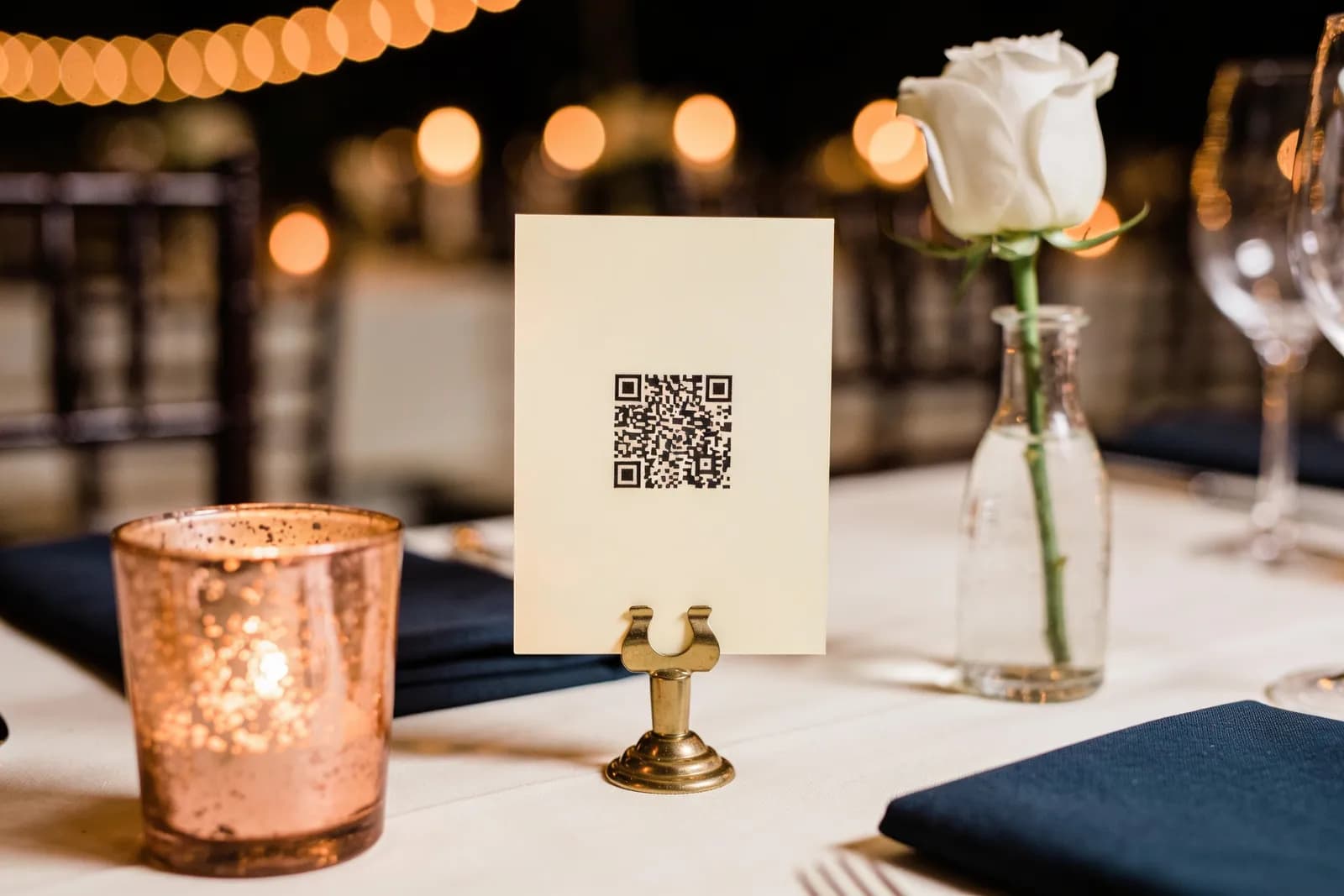
- A QR code on each table takes guests to a shared gallery where they upload photos straight from their phones, with no app.
- Print it at least 3 x 3 cm on table cards and add 1 cm for every 10 cm of scanning distance.
- Keep a clear margin around the code and strong contrast: a dark code on a light, matt background.
- A microphone announcement and a list of photo challenges bring in far more photos than the code alone.
- In standard mode WhatsApp shrinks a 3024 x 4032 iPhone photo to 960 x 1280 pixels; a gallery keeps the original.
A QR code for wedding photos takes guests, in one scan, to a shared gallery where they upload pictures straight from their phones. Put it on every table, on the entrance board and on the invitation, print it at least 3 x 3 cm with strong contrast, and test it on several phones. An announcement from the band and a few photo challenges do the rest.
Your photographer will deliver a few hundred beautiful images. Your guests will take a few thousand more: grandma on the dance floor, the cousins at their table, the moment your nași (the Romanian wedding godparents) attempted the hora. Without one shared place, those photos stay scattered across phones and WhatsApp groups. Here is how to collect them.
What a QR code can do at a wedding or baptism
The photo gallery is the main reason, but one small square can answer a lot of questions:
- Photo gallery: guests upload their pictures to one place and see everyone else's.
- Schedule: times for the civil ceremony, the church service, the party and the cake. Romanian weddings often have the civil and religious ceremonies at different times and places, so this helps.
- Seating plan: each guest searches their name and finds their table (see our wedding seating plan guide).
- Menu: handy for vegetarians and guests with allergies.
- Venue Wi-Fi: a Wi-Fi QR code connects phones without typing a password. Signal is often poor in basements and marquees, and without internet nothing uploads.
- RSVP from a printed invitation: the code leads to the online invitation where guests reply (see how online invitations with RSVP work).
One code that opens your wedding website, with all of the above inside, is simpler than five codes on the same table.
Where to put the codes
| Spot | Used for | Scanning distance | Recommended size |
|---|---|---|---|
| Table card | gallery, schedule, menu | 30-40 cm, seated | 3-4 cm |
| Entrance board | seating, gallery | 1-1.5 m | 10-15 cm |
| Printed invitation | RSVP, website | in hand, 15-25 cm | 2.5-3 cm |
| Bathroom mirror sticker | gallery | 40-50 cm | 4-5 cm |
| Bar or photo corner | gallery, Wi-Fi | 50 cm to 1 m | 5-10 cm |
| Screen or projection | gallery, during the announcement | 3-8 m | as large as possible, at least 1/10 of the distance |
The bathroom mirror sounds odd, but it is one of the few places where guests have a spare minute and their phone in hand.
How big the code needs to be
- At least 2 x 2 cm, and for static codes (which hold the full long address) at least 3 x 3 cm (NN/g, QR Code Generator).
- The distance rule: add 1 cm to the side for every 10 cm of scanning distance. From 50 cm, that is 5 x 5 cm. In dim light (and evening receptions are dim) go bigger (NN/g).
- The quiet zone: leave a clear margin of at least four of the code's small squares on every side, as the QR standard (ISO/IEC 18004) requires. Designers often crop it to make things look neater.
- Contrast: dark code on a light background. Black on white or cream is ideal; pale gold on ivory looks gorgeous and scans badly. Avoid inverted codes (light on dark), which not every app reads.
- A short address: fewer characters mean fewer squares, so each one prints larger.
- Matt paper: gloss reflects the spotlights.
Before sending anything to the printer, print a proof at real size, put it on a table and scan it with three or four different phones (an iPhone, an older Android, a grandparent's phone), seated, with the lights half down. If any of them hesitates, make the code bigger.
What to write next to it
A line of text decides whether people scan. Short, warm, and clear about what they get:
- "Caught a lovely moment? Scan and add it to our gallery."
- "Your photos, our memories. Scan here to share them."
- "No app, no sign-up: scan and upload today's photos."
- "We'd love to see the day through your eyes. Upload everything you've snapped."
- For a baptism: "Caught Ana smiling? Add the photo to her album here."
For a mixed Romanian and international crowd, put the line in both languages. Add the written address in small print for anyone whose camera will not cooperate, and keep the card in the same design as the rest of your stationery.
Getting guests to actually upload
- The microphone announcement. Ask the band, DJ or MC to mention it twice: after the first dance and near the end.
- Photo challenges. Under the code, list four to six: "the nași on the dance floor", "the best smile at your table", "a selfie with the bride", "someone in happy tears", "shoes on the dance floor".
- The gallery on screen. If the venue has a projector, showing uploads encourages everyone else.
- A message the next day. "Thank you for being with us! If you have more photos, the gallery is still open here." Many people upload at home, on Wi-Fi.
- No friction. Every extra step loses half the people. No app, no account, no password; the guest's name is optional.
Full quality, not photos squeezed through WhatsApp
Photos shared in a WhatsApp group lose quality without anyone noticing. In standard mode WhatsApp shrinks them: a 3024 x 4032 pixel iPhone photo arrives at 960 x 1280 (9to5Mac). HD mode compresses less, but still compresses (WhatsApp). Only files sent as documents arrive untouched, and nobody does that at a wedding. For a printed album, it matters. A gallery guests upload to directly keeps the original file.
Privacy: who sees the photos
- Anyone with the link can see the gallery. Do not post the QR code publicly on Instagram or Facebook; keep it to the tables, invitations and messages to guests.
- Other people's children. Especially at a baptism, some parents prefer no photos of their children online. Ask, and respect it.
- Unfortunate photos. At 3am someone will upload a picture they will regret. Decide who looks through the gallery and removes what does not belong.
- Download everything in original quality after the wedding and keep two copies (a hard drive and a cloud).
QR gallery, Google Photos album, WhatsApp or disposable cameras
| Option | What guests do | Quality | Pros | Cons |
|---|---|---|---|---|
| QR gallery on your wedding website | scan, pick photos, upload | original | no app, no account, one place, in your wedding design | needs signal or venue Wi-Fi |
| Shared Google Photos album | need a Google account to add photos | original or compressed, depending on each guest's setting | free, familiar | uploads count towards the uploader's free 15 GB (Google); up to 20,000 items per album (Google); iPhone users without Google often give up |
| WhatsApp group | send photos to the group | compressed (standard or HD) | everyone has it | photos get lost among messages, lower quality, phones fill up |
| Disposable cameras on tables | snap, leave the camera on the table | depends on film and light | retro charm, fun | cameras and developing cost money, many shots come out dark or blurred, you see them weeks later |
You do not have to pick just one: a few disposable cameras for charm, and the QR code for everything else.
At a baptism, or a wedding and baptism together
At a Romanian baptism (botez), the gallery becomes the baby's first album. Put the code on the table cards and on the marturii (the small keepsake favours guests take home), and make the challenges about the baby: "the godmother holding her", "his first smile of the day". If you are combining both on one day, one gallery gathers both. For the rest of the preparations, see our guide on how to plan a Romanian baptism.
Next step
Decide what the code opens (gallery, website or both), pick your spots from the table above and print a test page a week before the printer. Then give the band the announcement wording. Your guests will do the rest.
Frequently asked questions
You need an online gallery guests can upload to and a QR code that opens it. Print the code on table cards, the entrance board or the invitation, and test it on several phones before printing.
At least 2 x 2 cm, and at least 3 x 3 cm for static codes. As a rule of thumb, allow 1 cm per side for every 10 cm of scanning distance; on an entrance board read from 1-1.5 m, go for 10-15 cm.
They should not. Any recent phone camera reads QR codes, and a good gallery opens in the browser with no app or account. Every extra step means fewer photos.
On each table card, the entrance board, the printed invitation and, surprisingly effective, the bathroom mirror. If the venue has a screen, show it there during the announcement.
Yes. Standard mode shrinks photos and HD mode still compresses them. Only files sent as documents arrive untouched, whereas a gallery guests upload to directly keeps the original.